迎嘉科技
郭宇晨,2020年07月09日
由于Acejet邮箱的相关策略,时常会被退信。
我们需要进行相关的操作,以顺利使用Wejoy邮箱往Acejet邮箱发信。
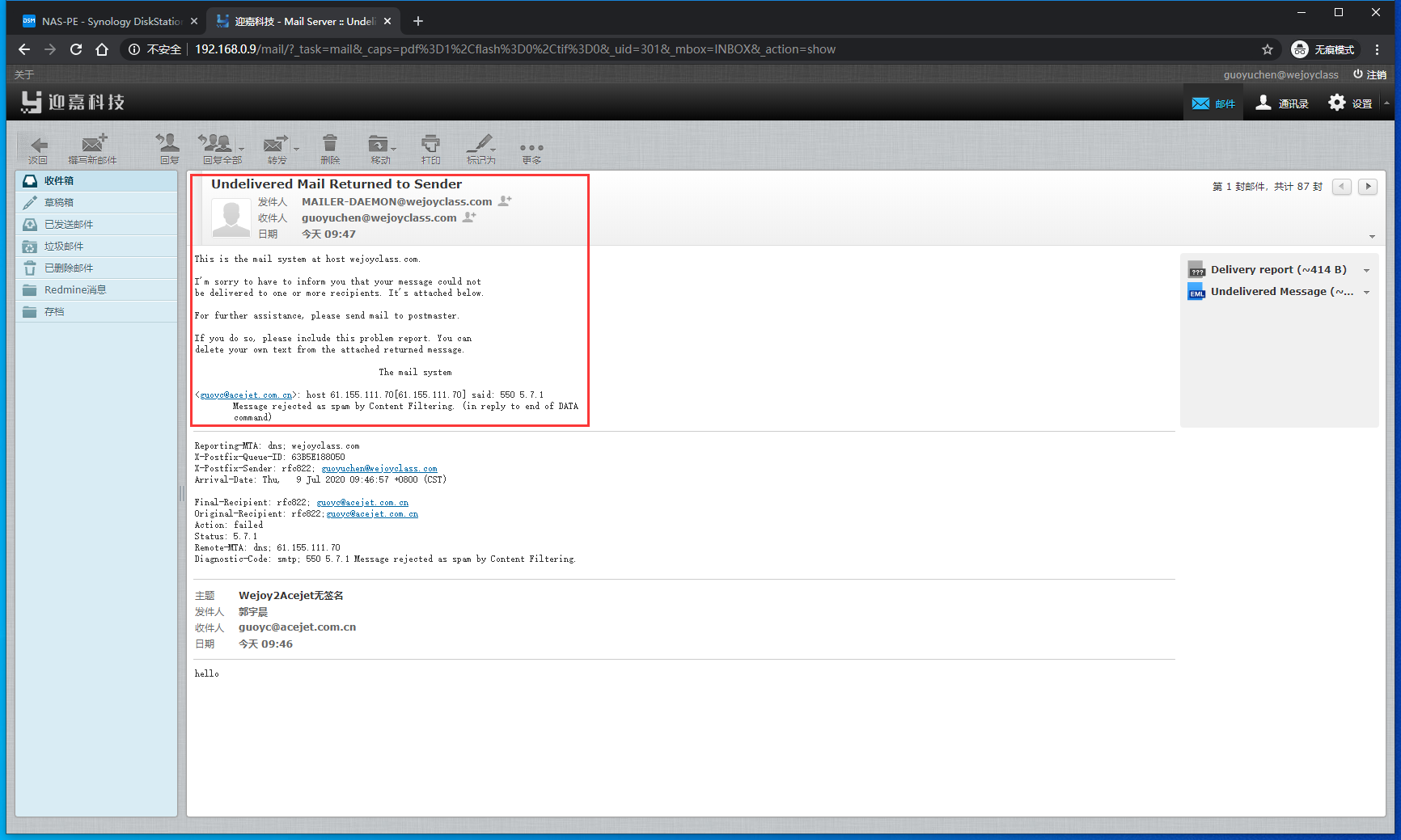
您在使用Wejoy邮箱往Acejet邮箱发送邮件的时候,由于Acejet邮箱的一些策略,可能会导致您的邮件无法正常发送,会收到如下图所示的报错退信。
报错内容:
Undelivered Mail Returned to Sender
This is the mail system at host wejoyclass.com.
I'm sorry to have to inform you that your message could not be delivered to one or more recipients. It's attached below.
For further assistance, please send mail to postmaster.
If you do so, please include this problem report. You can delete your own text from the attached returned message.
The mail system <guoyc@acejet.com.cn>: host 61.155.111.70[61.155.111.70] said: 550 5.7.1 Message rejected as spam by Content Filtering. (in reply to end of DATA command)
此时,我们需要进行一些操作,以保证我们的邮件能够正常送达Acejet邮箱。
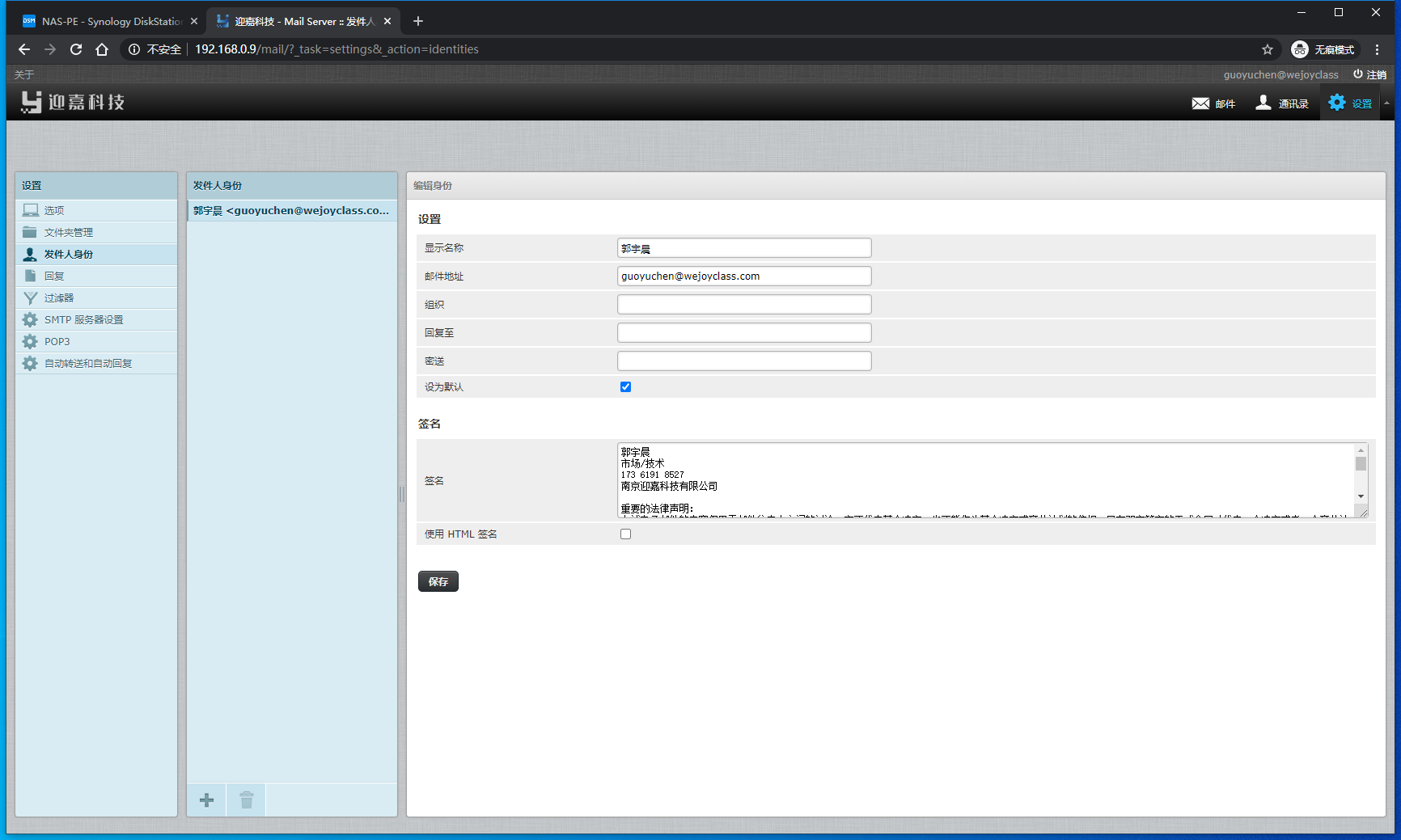
需要您在您使用的邮件客户端内添加如下内容作为签名。
重要的法律声明:
上述电子邮件的内容仅用于邮件往来人之间的讨论。它不代表某个决定,也不能作为某个决定或商业计划的依据。只有双方签字的正式合同才代表一个决定或者一个商业计划的确定。本邮件服务器所属单位对基于此电子邮件内容导致的任何后果不承担任何负责。
如阁下并非此邮件的指定收件人或者误收到此邮件,请立即通知发件人并删除本邮件。
Important Legal statement :
The content on this email is for mutual discussion and understanding only. It can not be taken as a final offering or decision. You will need a formal contract with signatures of both parties for any of your expenses or investments. Wejoy are not responsible for any results or damages caused by your actions which are taken based on this email content.
If you have received this e-mail in error, please notify the sender and delete this e-mail immediately.
如此操作后,问题得以解决。
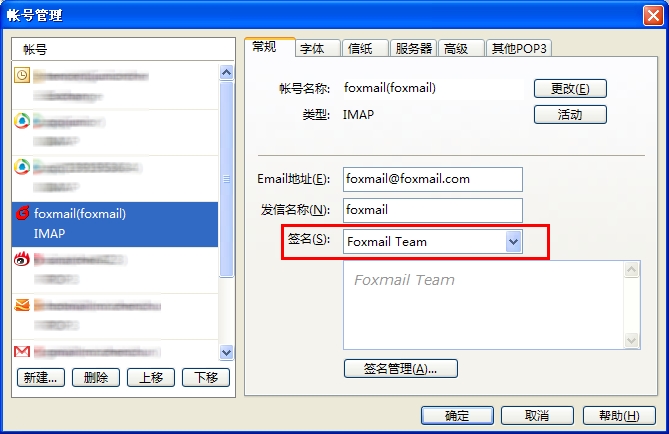
建议您使用Foxmail。
主界面选择“设置”,左侧选择“发件人身份,右侧“签名”中,可以设置该账户新邮件使用的签名。
主界面选择“工具”-“账号管理”,左侧选择帐号,右侧“常规”中,可以设置该账户新邮件使用的签名。